


 3:07 AM

What if a your phone could know where you are, what your interests are, when you have your next appointment, what time of the day is, and give you the right information just when you need it? This is what the new Google Now does.
Let's assume you are commuting from or to home. Google Now tells you how long your usual commute is going to be and if there is a faster route.

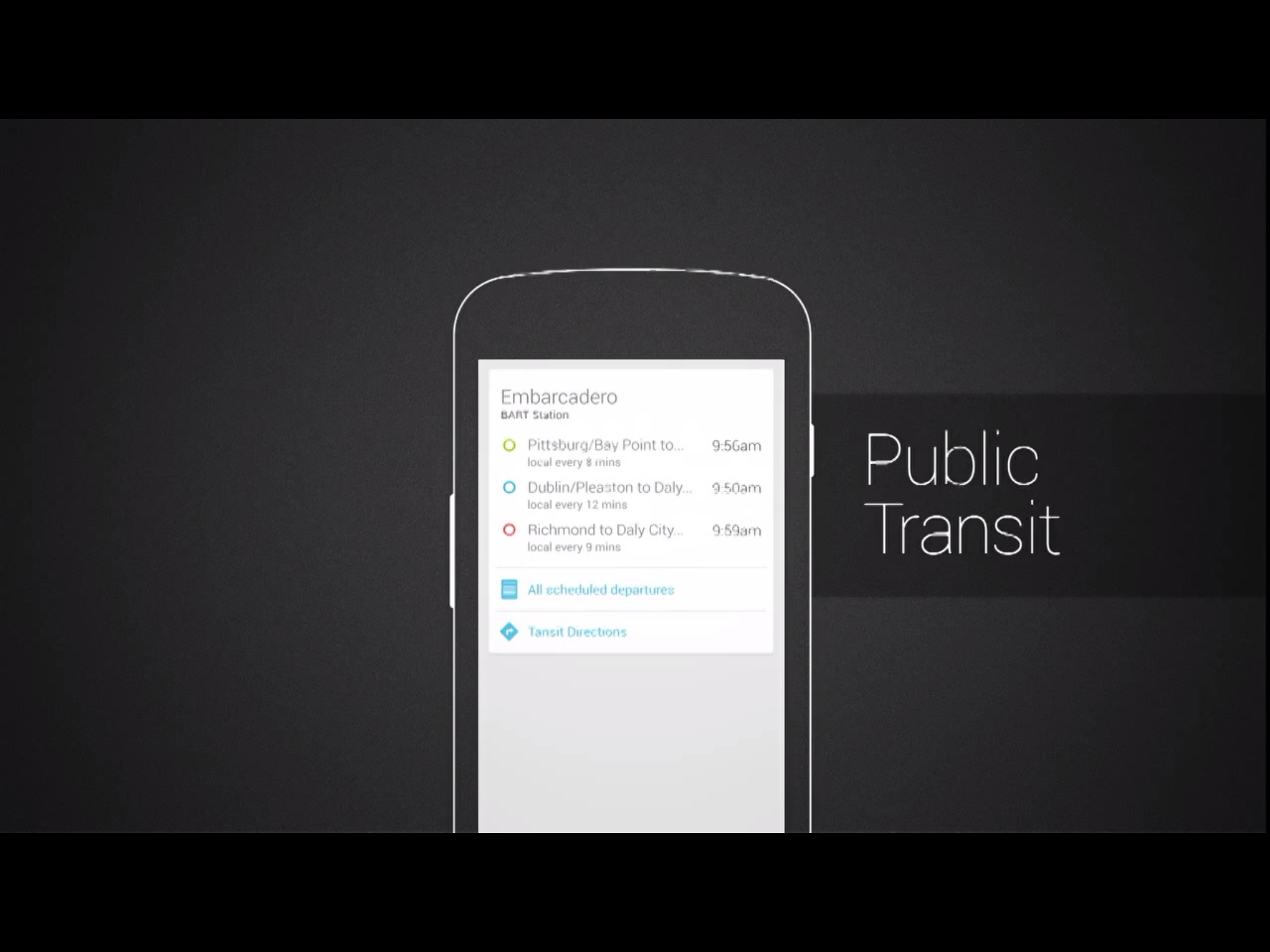
When you are close to a bus stop or a subway station Google Now tells you when the new vehicle will arrive.
Google Now tells you about bar and restaurants around you when you walk down the street. When you are in a restaurant trying to order, Google Now tells you what that restaurants is most known for.

When you have a calendar appointment Google now will tell you how to get there on time. For example, if you usually take the bus to get around, Google Now will tell you when to leave, based on how long will take you to walk to the bus stop, when the next bus will arrive, and how long that bus ride will take to get there on time.

If you have an upcoming flight that you searched for Google Now keeps you up to date on the current status, which terminal to go to and updates you if there is a delay.

Google Now keeps you updated on your favorite sport team in real time. There is no need of customization. Google Now knows about your favorite team based on the search you had done.

Google Now knows when you are traveling. When you travel internationally Google Now gives you a card for currency convention, translation, and it even tell you what time is back home.

How it works
The way to access Google Now is by swiping from the home screen.

Google now display a home screen with all the cards that apply to your specific situation. In the image below the first card list an upcoming meeting, and tell me how long is going to take me to get there.

A notification will warn me when is time to leave, based on how long is going to take me to get there.

Google Now knows if I are a Giant's fan, and tell Me that there is a game in a few hours, and I can buy tickets from here.

Google now knows that I am not here too often, and that I don't know the area too well. Google now shows few interesting places nearby, including some restaurants.

If a tap on a specific restaurant, this takes me to google maps, and from here I can get various information, and even book a table if I want to.

Google Now knows that I have a flight scheduled, and that it is delayed, so I have time for my usual workout to the gyn if I want to.

Let's assume you are commuting from or to home. Google Now tells you how long your usual commute is going to be and if there is a faster route.
When you are close to a bus stop or a subway station Google Now tells you when the new vehicle will arrive.
Google Now tells you about bar and restaurants around you when you walk down the street. When you are in a restaurant trying to order, Google Now tells you what that restaurants is most known for.
When you have a calendar appointment Google now will tell you how to get there on time. For example, if you usually take the bus to get around, Google Now will tell you when to leave, based on how long will take you to walk to the bus stop, when the next bus will arrive, and how long that bus ride will take to get there on time.
If you have an upcoming flight that you searched for Google Now keeps you up to date on the current status, which terminal to go to and updates you if there is a delay.
Google Now keeps you updated on your favorite sport team in real time. There is no need of customization. Google Now knows about your favorite team based on the search you had done.
Google Now knows when you are traveling. When you travel internationally Google Now gives you a card for currency convention, translation, and it even tell you what time is back home.
How it works
The way to access Google Now is by swiping from the home screen.
Google now display a home screen with all the cards that apply to your specific situation. In the image below the first card list an upcoming meeting, and tell me how long is going to take me to get there.
A notification will warn me when is time to leave, based on how long is going to take me to get there.
Google Now knows if I are a Giant's fan, and tell Me that there is a game in a few hours, and I can buy tickets from here.
Google now knows that I am not here too often, and that I don't know the area too well. Google now shows few interesting places nearby, including some restaurants.
If a tap on a specific restaurant, this takes me to google maps, and from here I can get various information, and even book a table if I want to.
Google Now knows that I have a flight scheduled, and that it is delayed, so I have time for my usual workout to the gyn if I want to.


